eREACH-HK
Digitising Dementia Care: An End-to-End UX Solution Across HealthTech, AgeTech, and Social Impact
My Role
End-to-end designer
01.
End-to-End Design
Led the full design lifecycle solo, from information architecture and user flows through to final UI, prototyping, and usability testing.
02.
User-Centred Research
Conducted stakeholder interviews and field observation across all three user groups to uncover real workflow friction, not assumed pain points.
03.
Stakeholder Communication
Worked directly with project managers, developers, and client representatives to align on requirements, manage feedback, and ensure smooth design handover.
Challenges
How might we transforming the 3-month, academic based caregiver support program into a streamlined digital workflow?
Turning clinical forms into a fluent digital workflow
50+ clinical assessments needed to become digital without losing the research behind them.
Designing for users under stress
Caregivers supporting dementia patients needed calm, forgiving interactions — not added load.
Case workers connected every part of the programme
Their workflow was the most critical — if it broke, everything else did too.
About the Client
REACH-HK: 10 years of clinical research, now going digital
Sau Po Centre on Ageing, HKU, and 11 NGOs jointly run a structured 3-month support programme for 500+ families with dementia patients across Hong Kong.
Research
Understanding user persona
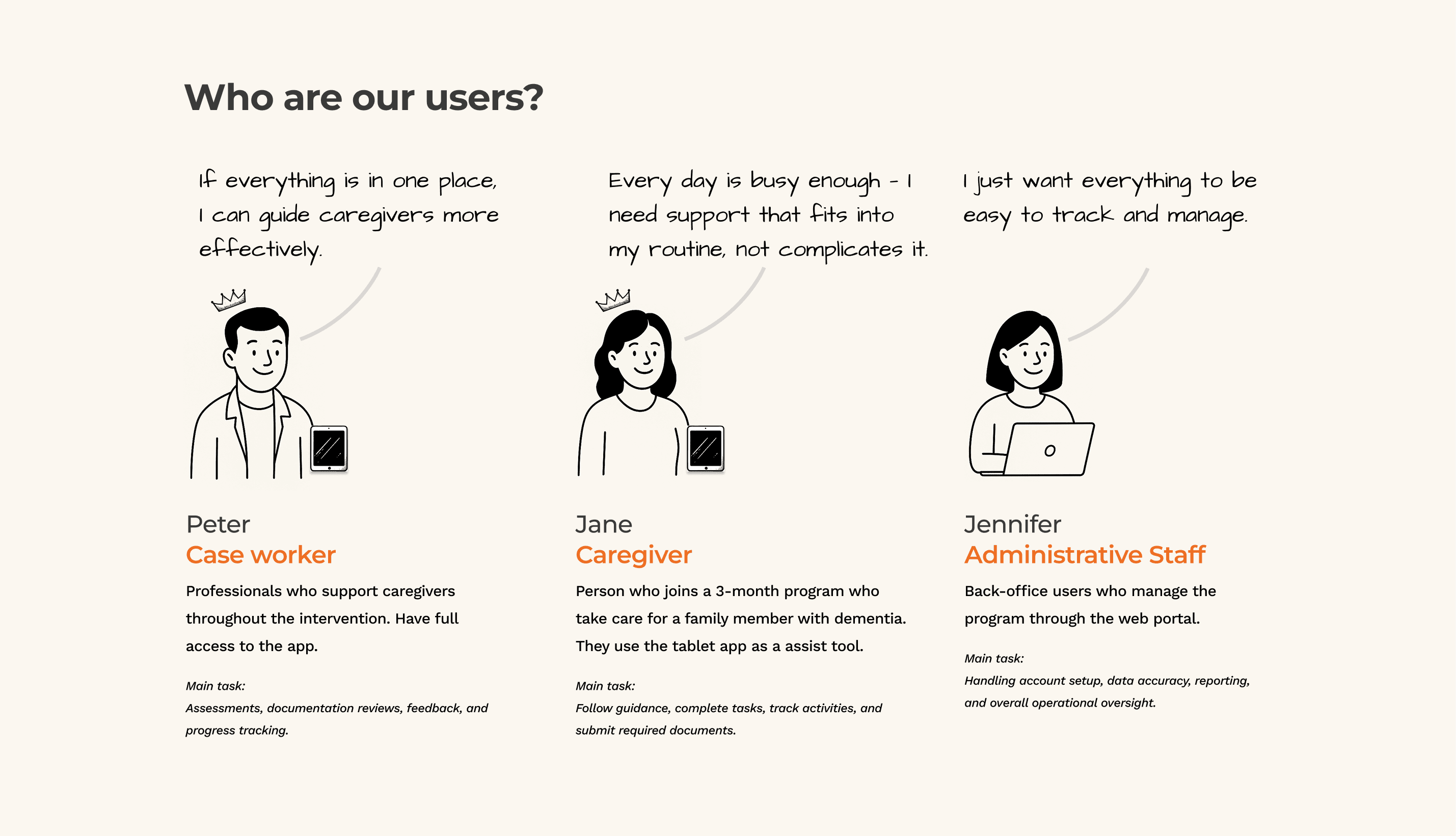
Enlarge to see all 3 persona in details
Case Worker
Manages multiple caregivers simultaneously and needs everything centralised in one place so he can focus on support rather than administration.
Caregiver
Balances an already overwhelming daily routine and needs a tool that fits around her life — not one that adds another layer of complexity.
Administrative Staff
Oversees the entire programme from the back office and needs real-time visibility across all users to catch problems before they escalate.
What we learned
Scattered tools, repeated data entry, and low visibility — across every role.
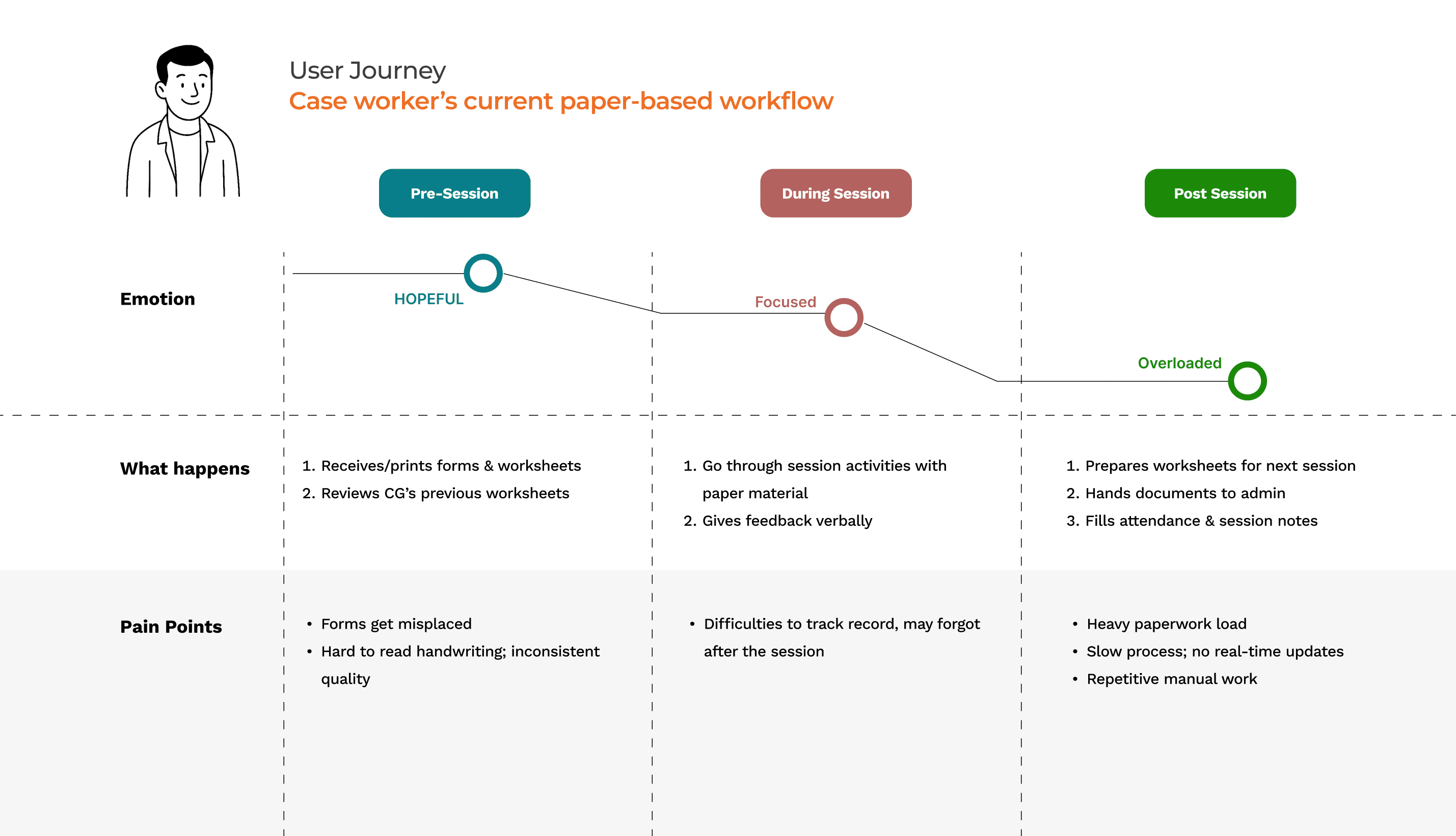
Paper, WhatsApp, and email kept everyone working in silos
Case workers couldn't track progress, caregivers had no clear guidance, and repetitive data entry slowed the entire programme down.
DISCOVERY
Turning 50+ clinical documents into a digital workflow
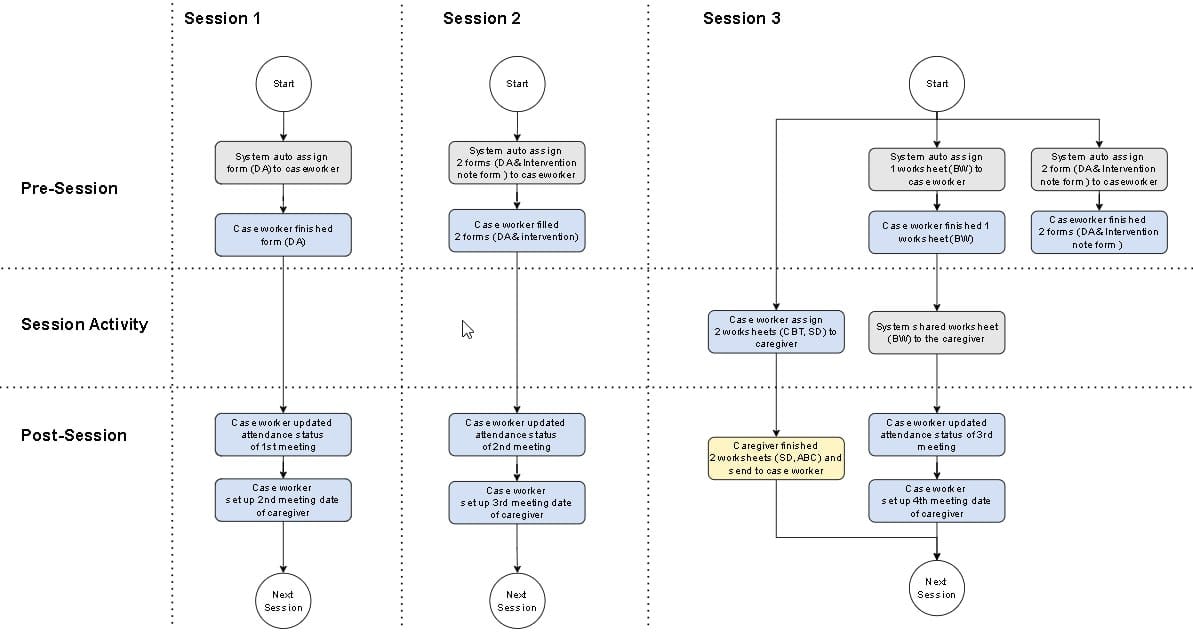
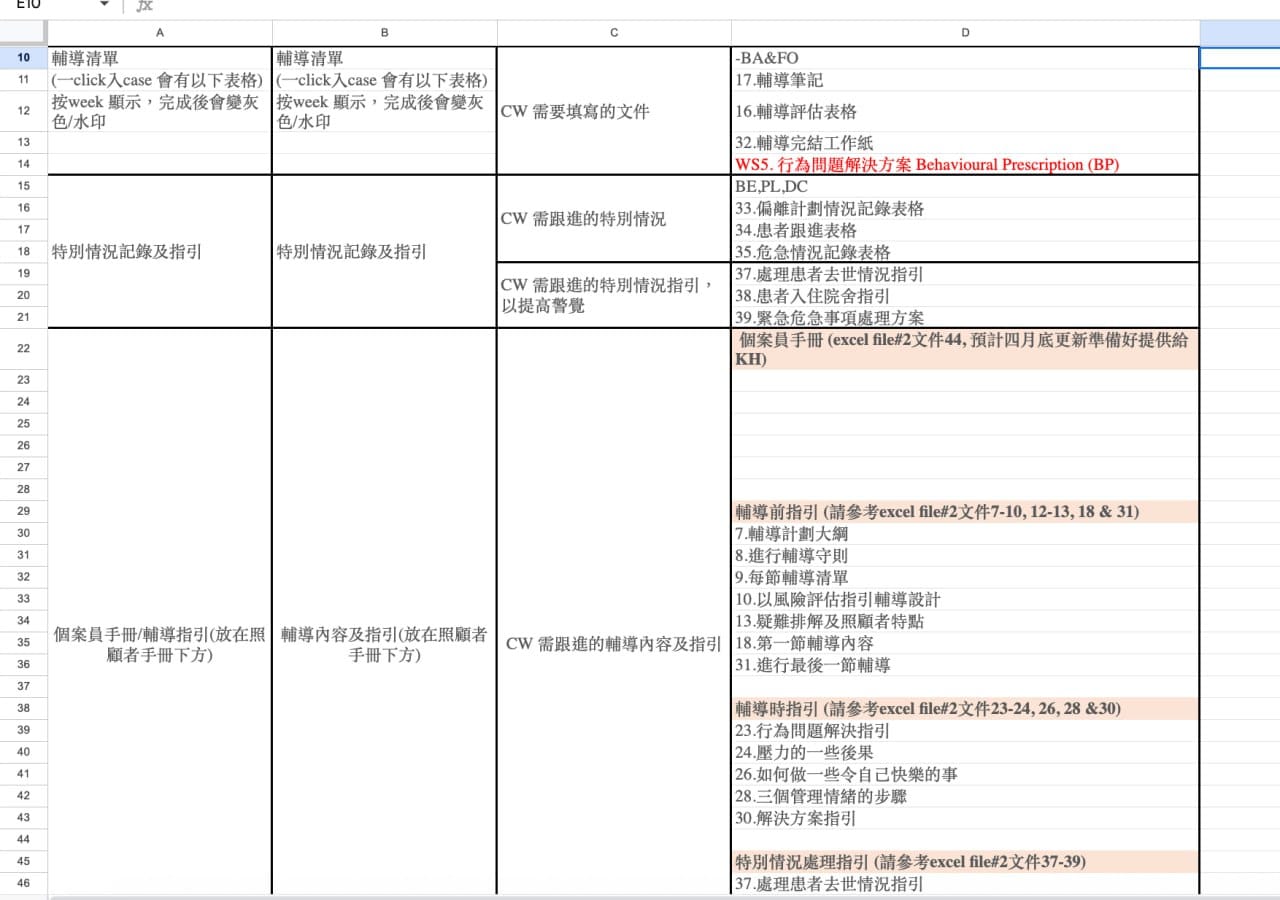
50+ clinical documents had to be mapped, assigned, and aligned across the design, development, and clinical teams before a single screen could be built.
IDEA
From complexity to a clear interface structure.
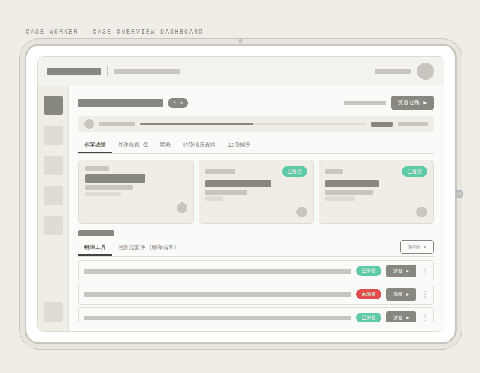
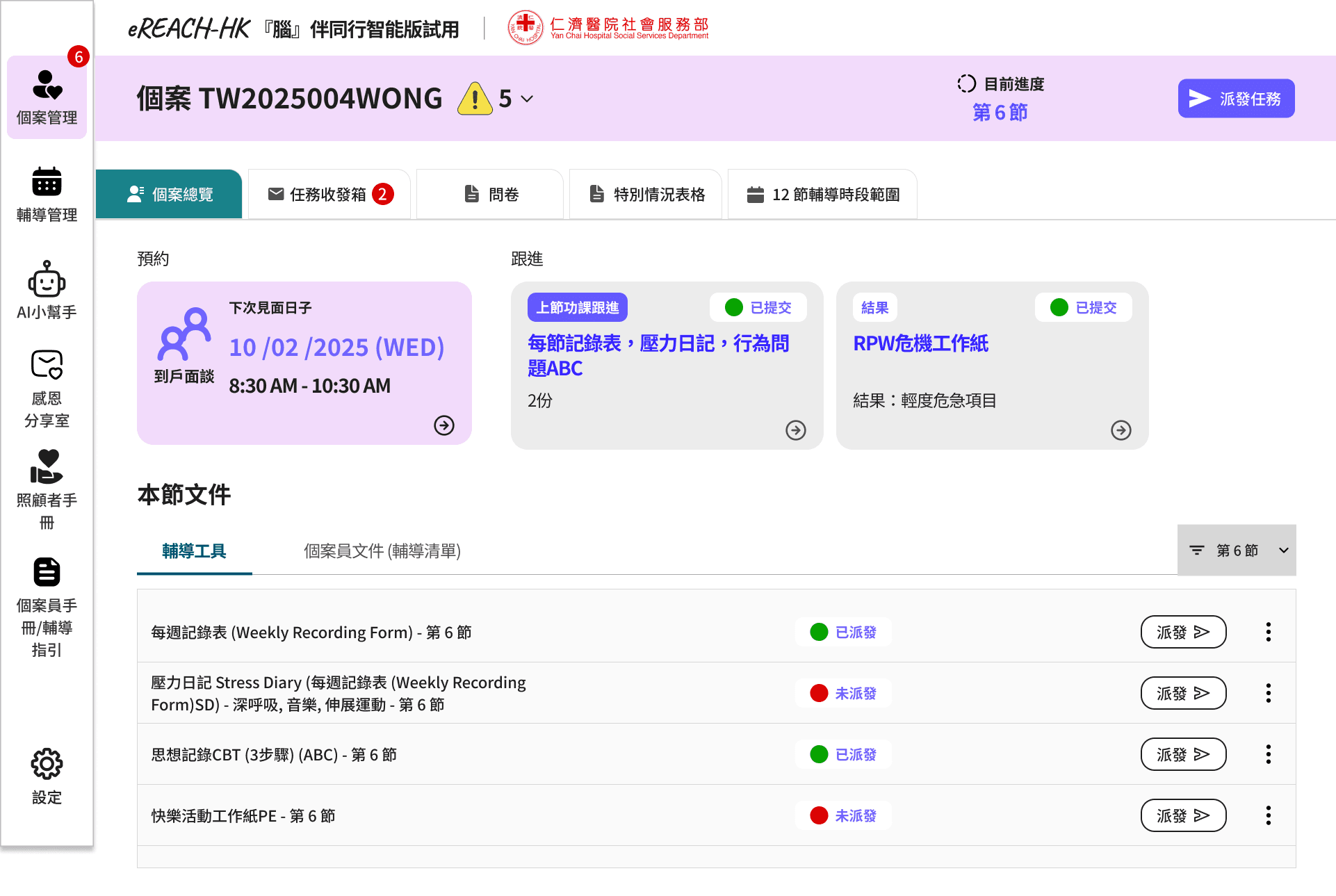
Wireframe (left)
A dense, information-first layout — caseworker managing multiple cases simultaneously needs everything surfaced in one view, with no hunting, no extra taps.
Design V1 (right)
The wireframe translated directly into the first design — tabs, grouped sections, and status indicators all carried the goal of an information-first layout.
DESIGN
Two users. Two interfaces. One programme.
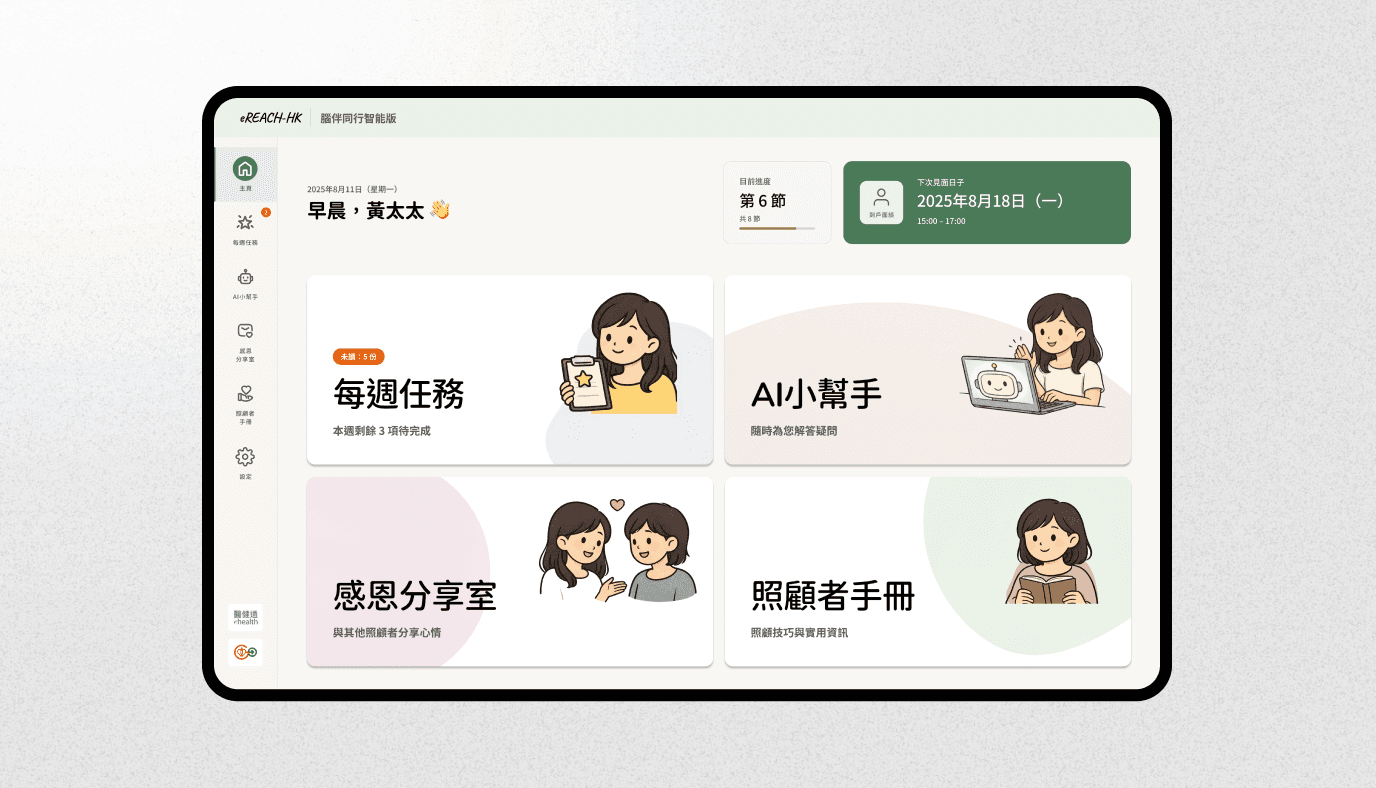
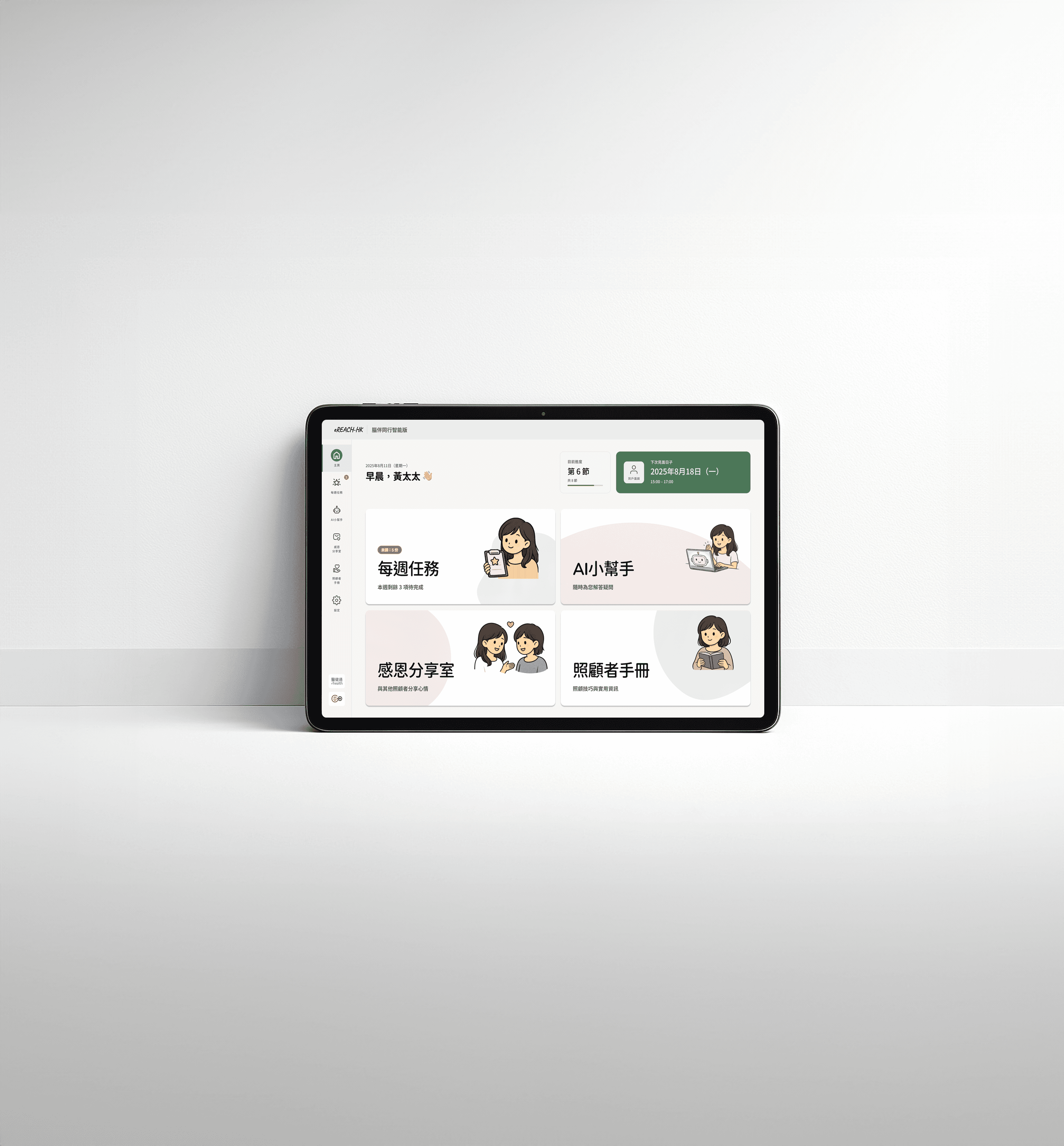
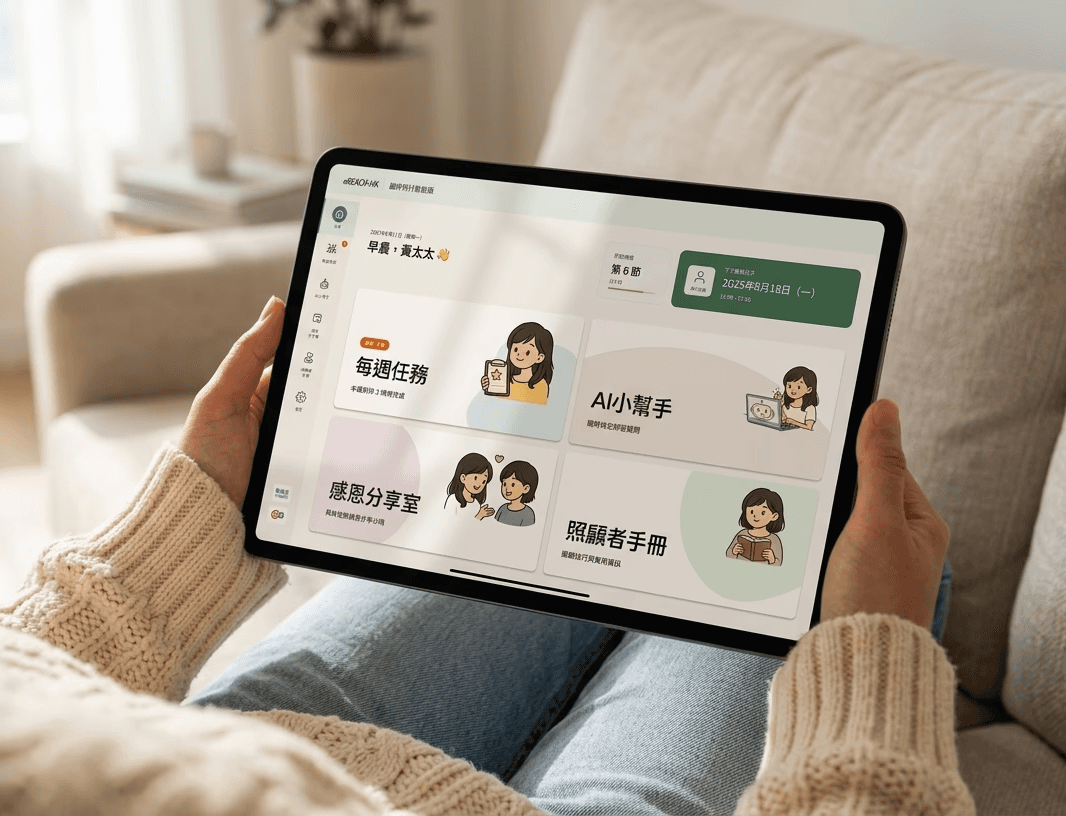
Caregiver homepage, a calm starting point for users under pressure
Four oversized tiles reduce decision fatigue
Warm greeting and session progress visible immediately
Designed for low digital literacy — no instructions needed
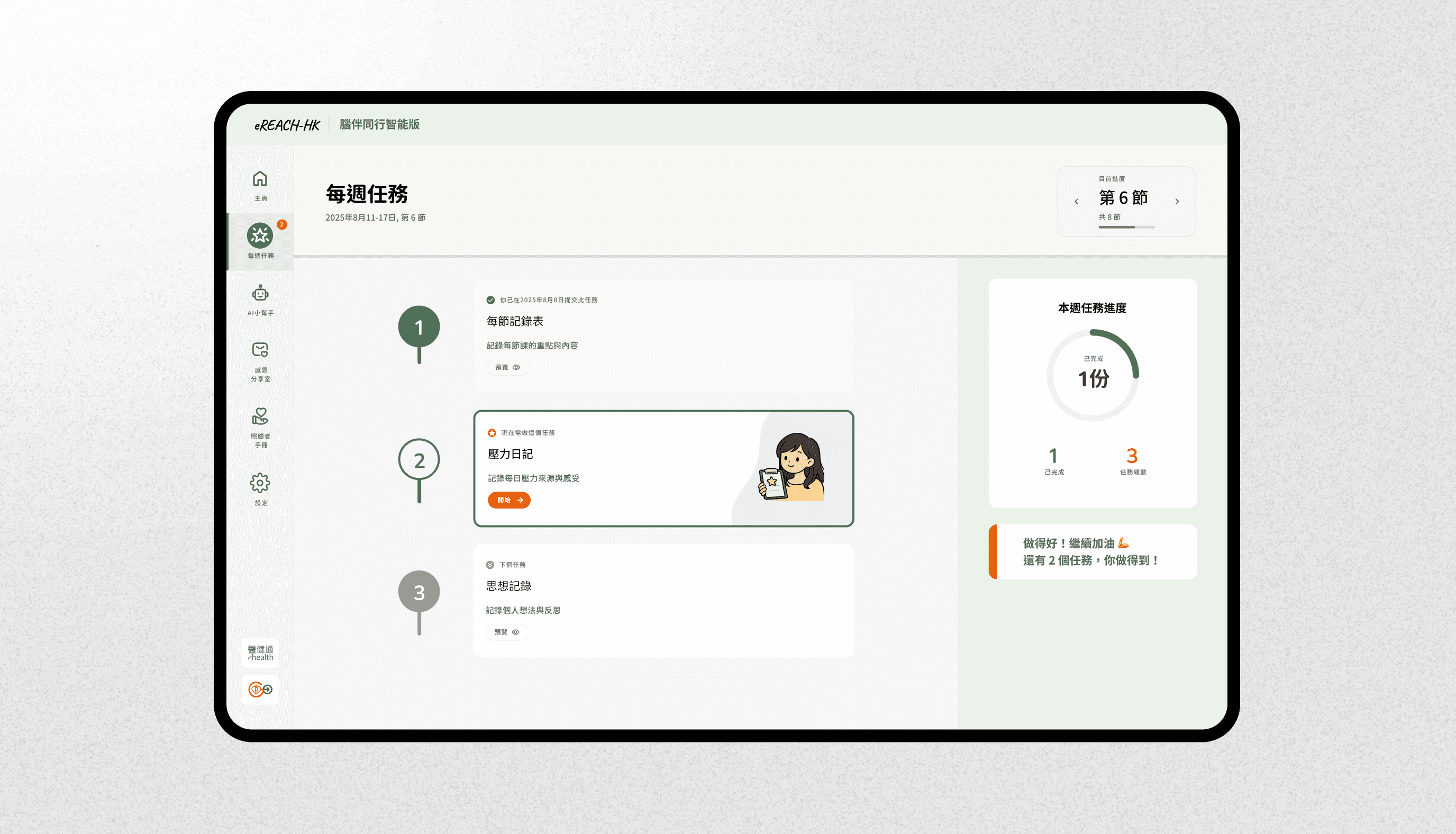
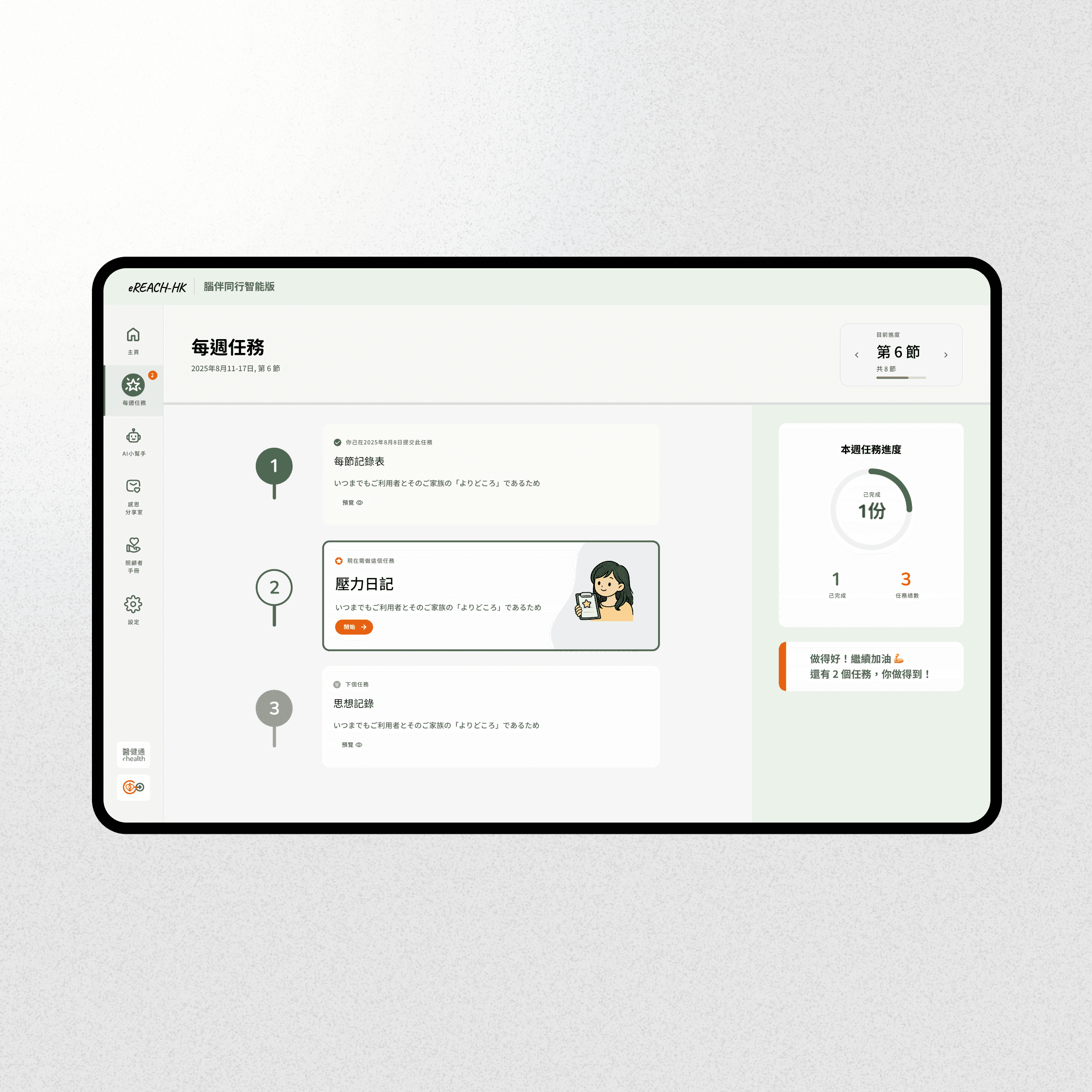
Weekly task journey, one task at a time, one step at a time
Tasks laid out as a sequential journey, not a flat list
Each step unlocks only after the previous is complete
Active task always front and centre
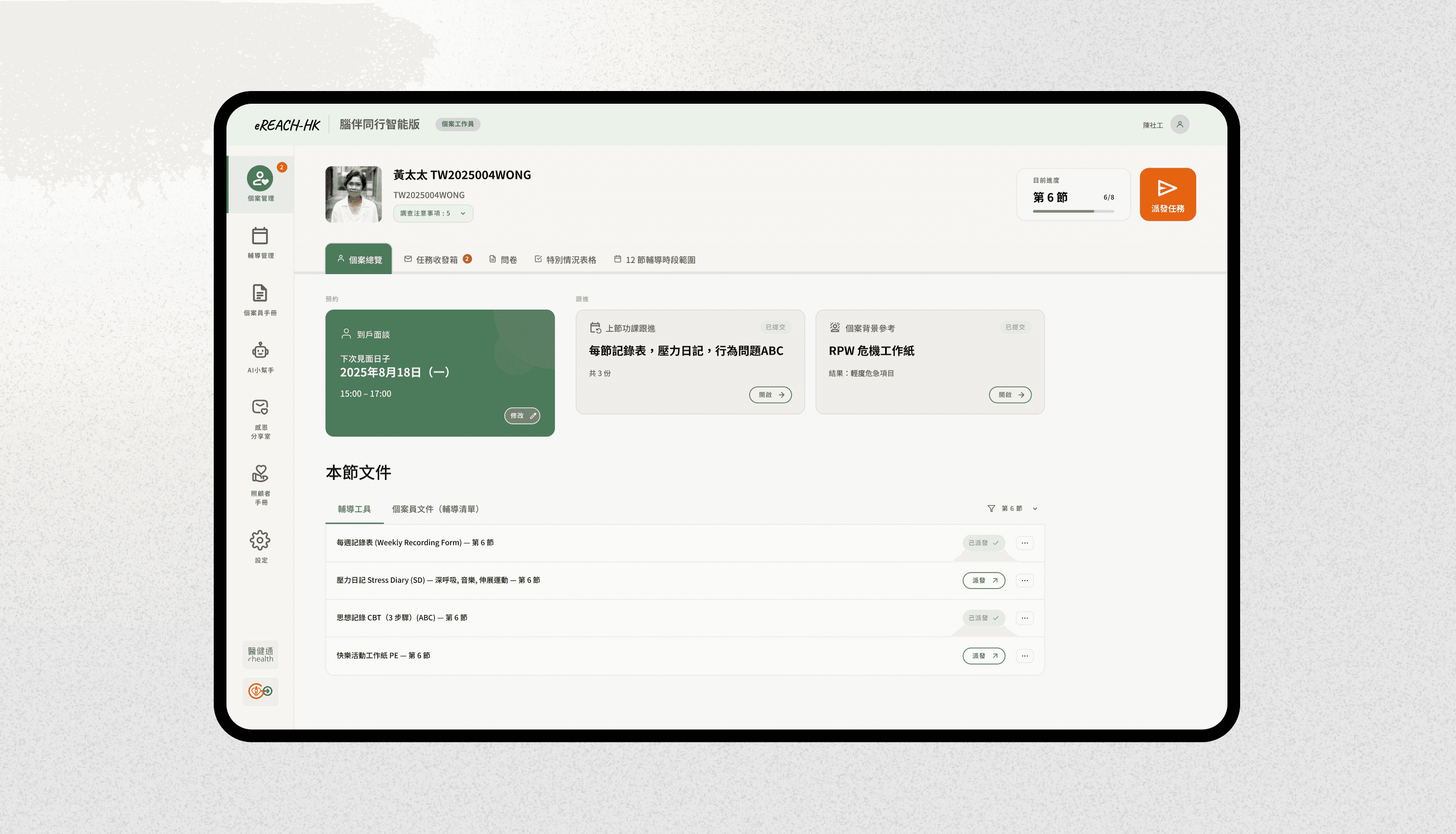
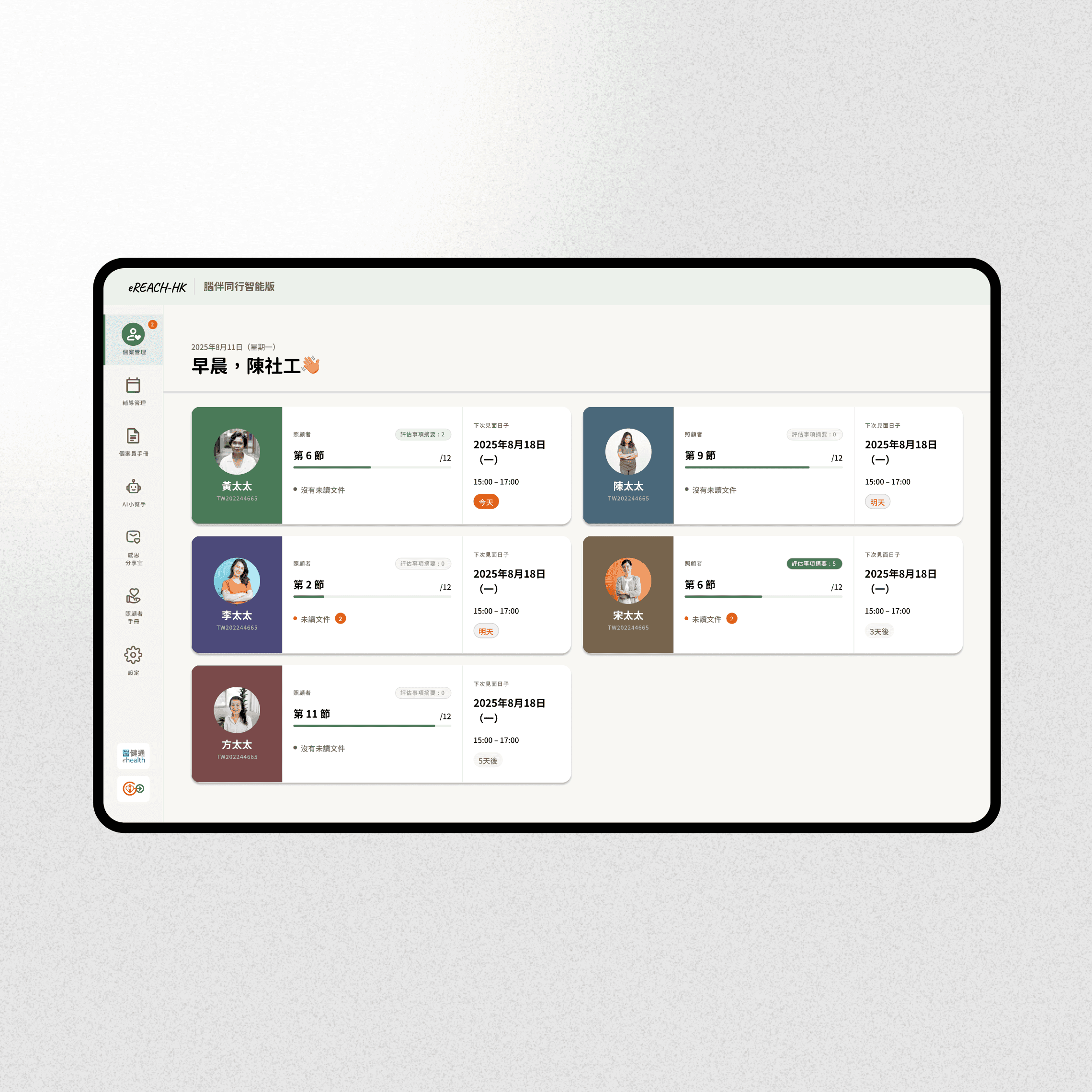
Caseworker dashboard, everything a caseworker needs in one glance
Session-ready view with appointment, homework, and documents in one place
Document dispatch list with clear sent/unsent status
Built for managing multiple cases — no hunting, no context switching
Deep dive
How I overcome constraint with design decision
50+ clinical assessments needed to be included in the app. They couldn't be shortened — every question existed for a reason rooted in a decade of research The research behind them was a decade in the making. This is one example of how I worked within that constraint — not around it.
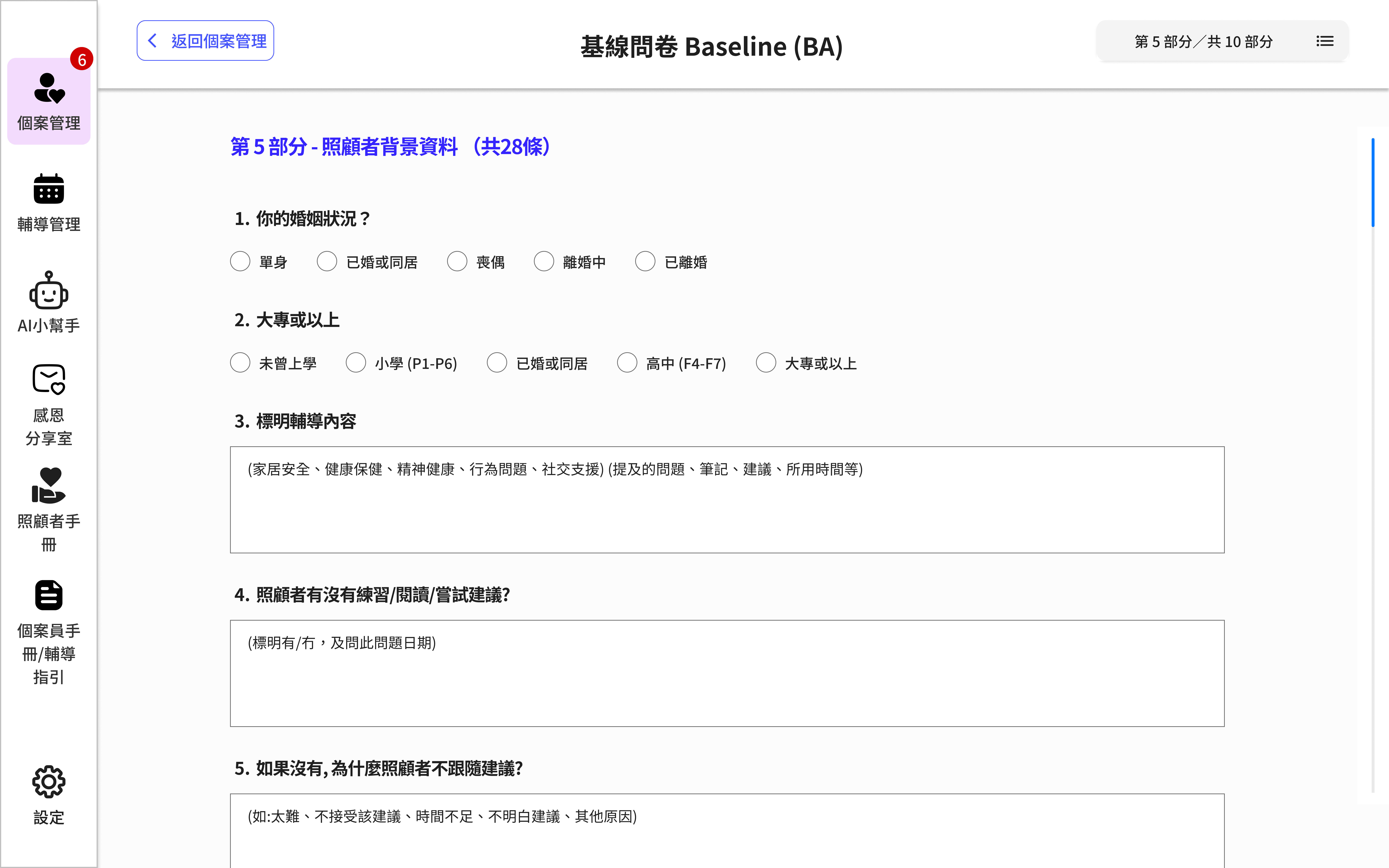
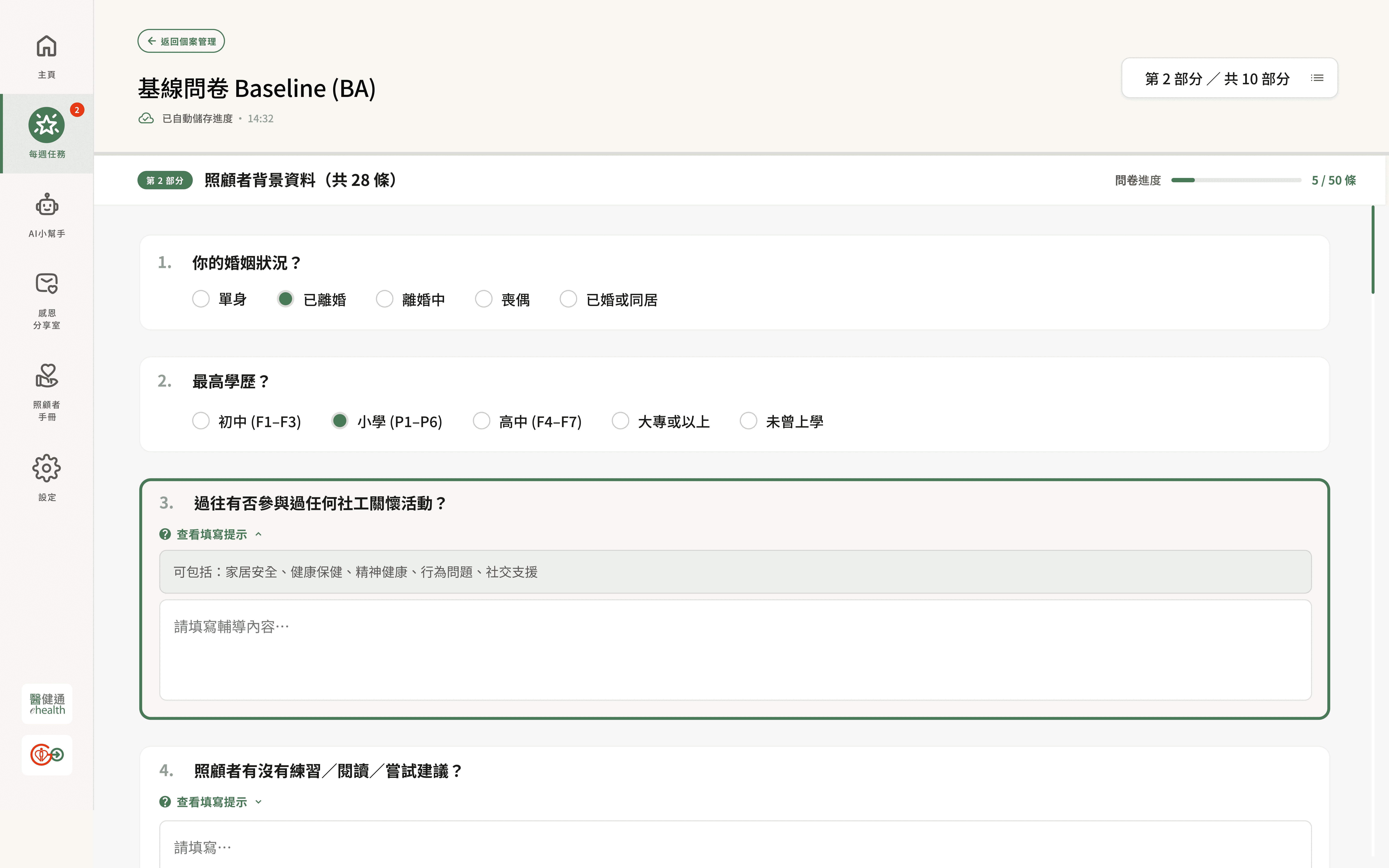
Design V1 (left)
Questions stacked at equal weight, no hierarchy
Clinical guidance buried inside placeholder text
No progress indicator, no sense of movement and encouragement
Final design (right)
Per-section progress bar shows exactly where you are (
5 / 50 條)Hint text collapsed by default, revealed on demand (
查看填寫提示)Auto-save timestamp visible at all times — no interruption anxiety
Style guide
Designed for clarity, built for comfort.
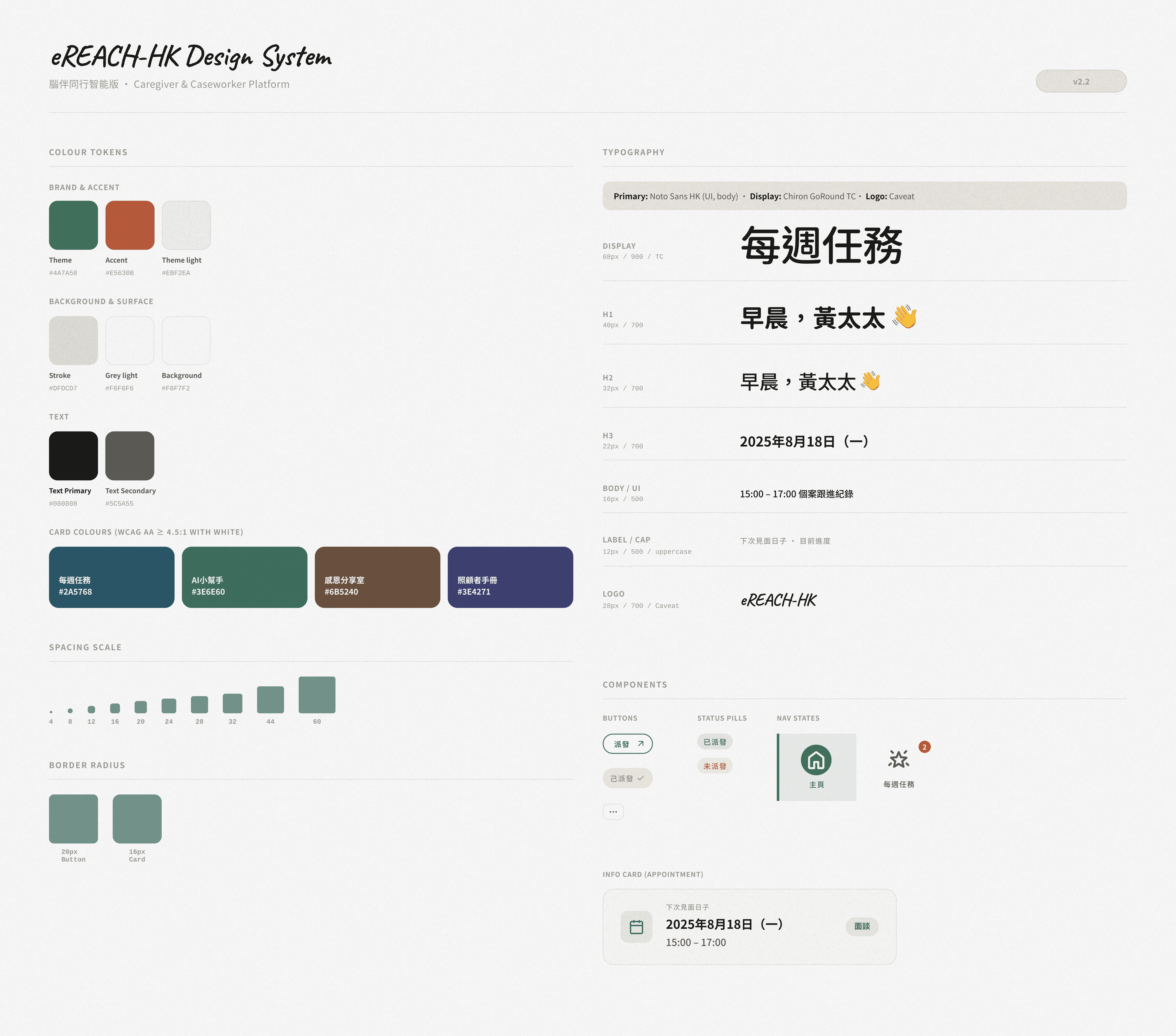
Colour
Moss green as the primary tone signals calm and trust, chosen deliberately for a healthcare context where users are under emotional pressure. The terracotta accent adds warmth without clinical coldness. All card colours meet WCAG AA 4.5:1 contrast against white.
Typography
Noto Sans HK handles all UI and body text for bilingual legibility at small sizes. Chiron GoRound TC brings a softer, more approachable feel to display headings — less institutional, more human.
Outcome & Reflection
What I Learned
This project deepened my understanding of designing for users with high emotional and cognitive load. I learned how to simplify complex workflows for both caregivers and case workers, balancing clarity with empathy. Most importantly, it taught me how thoughtful UX can directly reduce stress, save time, and support people in vulnerable situations.